A rig's own draw order
In a rig, nesting decides what is drawn in front: everything on a bone is drawn together with the bone it hangs on, so a part can't go behind its parent's artwork. Here the far arm, on a bone that hangs on the torso's bone, swings in front of the torso. Own draw order draws the rig's artwork in the order of a list instead, each piece still moving with its bone.
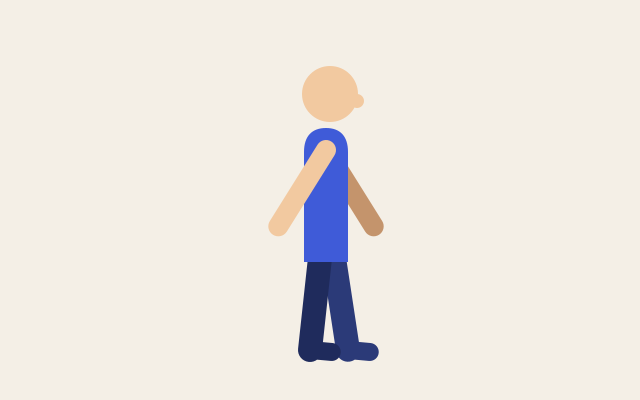
The figure swings its arms: the near arm in front of the torso, the far arm behind it. This one is the real exported SVG, playing.
Step by step
Select the rig's top bone
Click Bone 1 in the Layers panel. It carries the torso and the head, and the arms' bones hang on it; the inspector shows its Bone section.
Turn on Own draw order
In the Bone section, tick Own draw order. A list of the artwork attached to the rig's bones appears, front at the top, in the order nesting draws it: nothing changes yet.
Send the far arm to the back
Click the down arrow beside Far arm until it is at the bottom of the list, below Torso. On the canvas the far arm goes behind the torso, and in the Layers panel it stays on its bone.
Play it
Press Space. The arms swing, the far one behind the torso, and the export draws them the same way.
Keys
| Space | Play and pause |
| Alt B | Show or hide bones |